Products / Dove365 Support

Dove365 Support, a service desk inside Microsoft 365.

Case management on Microsoft Power Platform and Dataverse. Queues, cases, work boards, a time tracker and managed service hours, set up around how your team handles support.

  • $10per user / month
  • 5–7 daysto set up
  • Dataversein your tenant
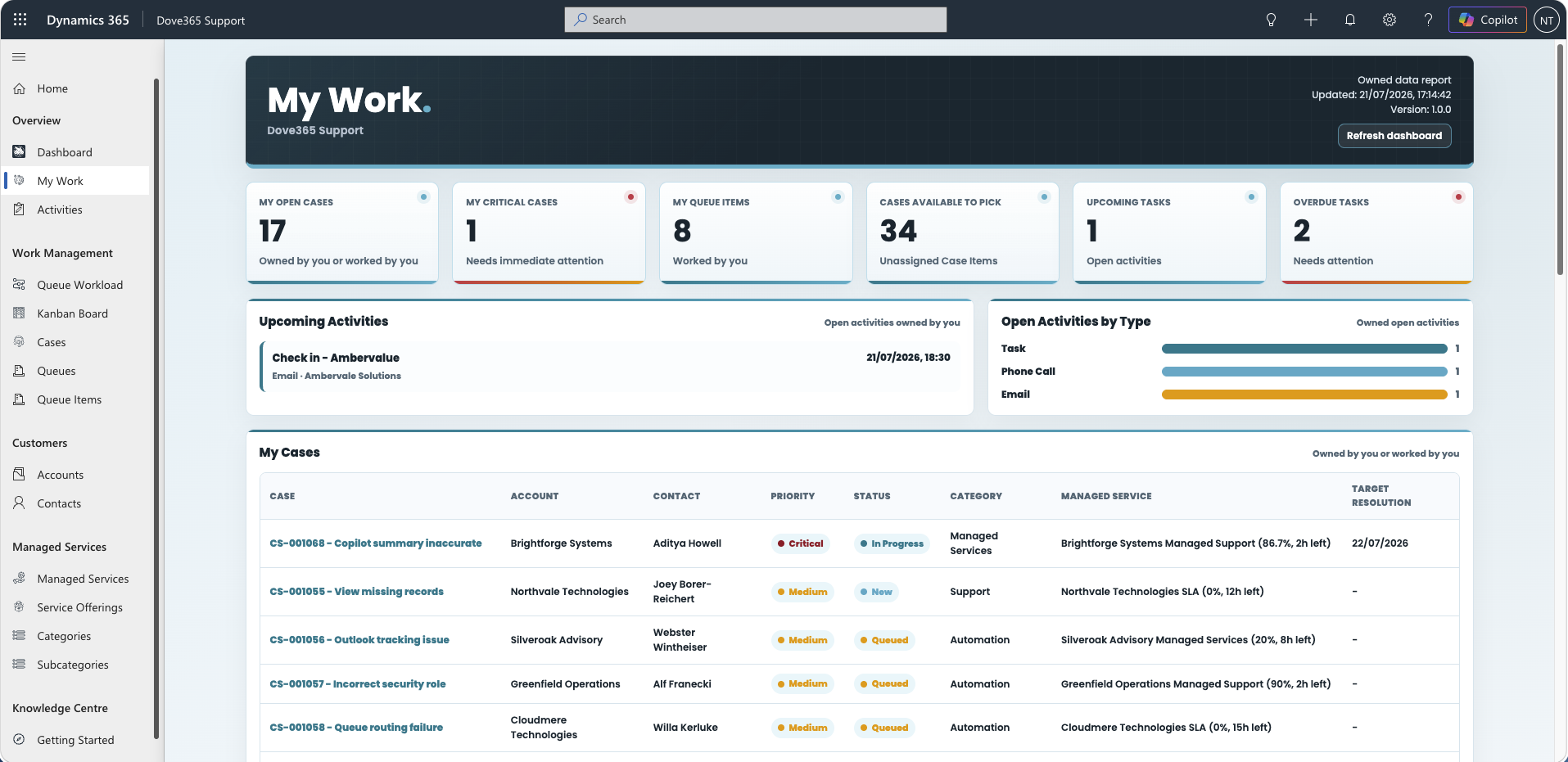
Dove365 Support My Work dashboard showing open cases, critical cases, queue items and overdue tasks

One place for every request

Dove365 Support replaces the shared mailbox and the spreadsheet with a governed Dataverse app. Every request has an owner, a priority, a history and a next step, and managers can see the load.

What it is
A ready-to-configure case management product for Microsoft Power Platform. Cases, customers, contacts, activities, queues, dashboards and service categories sit in one governed data model.
Who it is for
IT support companies, managed service teams, account support and internal service desks that need a more reliable way to handle requests than a shared inbox.
Key benefits
Clear ownership. Searchable case history. Queue-based working. Hours tracked against what each customer has bought. Role-based access. Dashboards that show what needs attention.
Common uses
Customer support desks. Managed service delivery. Internal IT and operations requests. Teams moving off a shared mailbox into structured case management.

Built for repeatable support delivery

Capture the request, assign the work, keep context in view and close it with a clear record.

  • Customers & Contacts

    Every organisation and contact linked to its cases, activities and service history.

  • Case Management

    Log, classify, investigate, escalate, resolve and close with consistent statuses and owners.

  • Queues & Intake

    Mail sent to your support mailbox becomes a case in the default queue, ready to pick up.

  • Work Boards

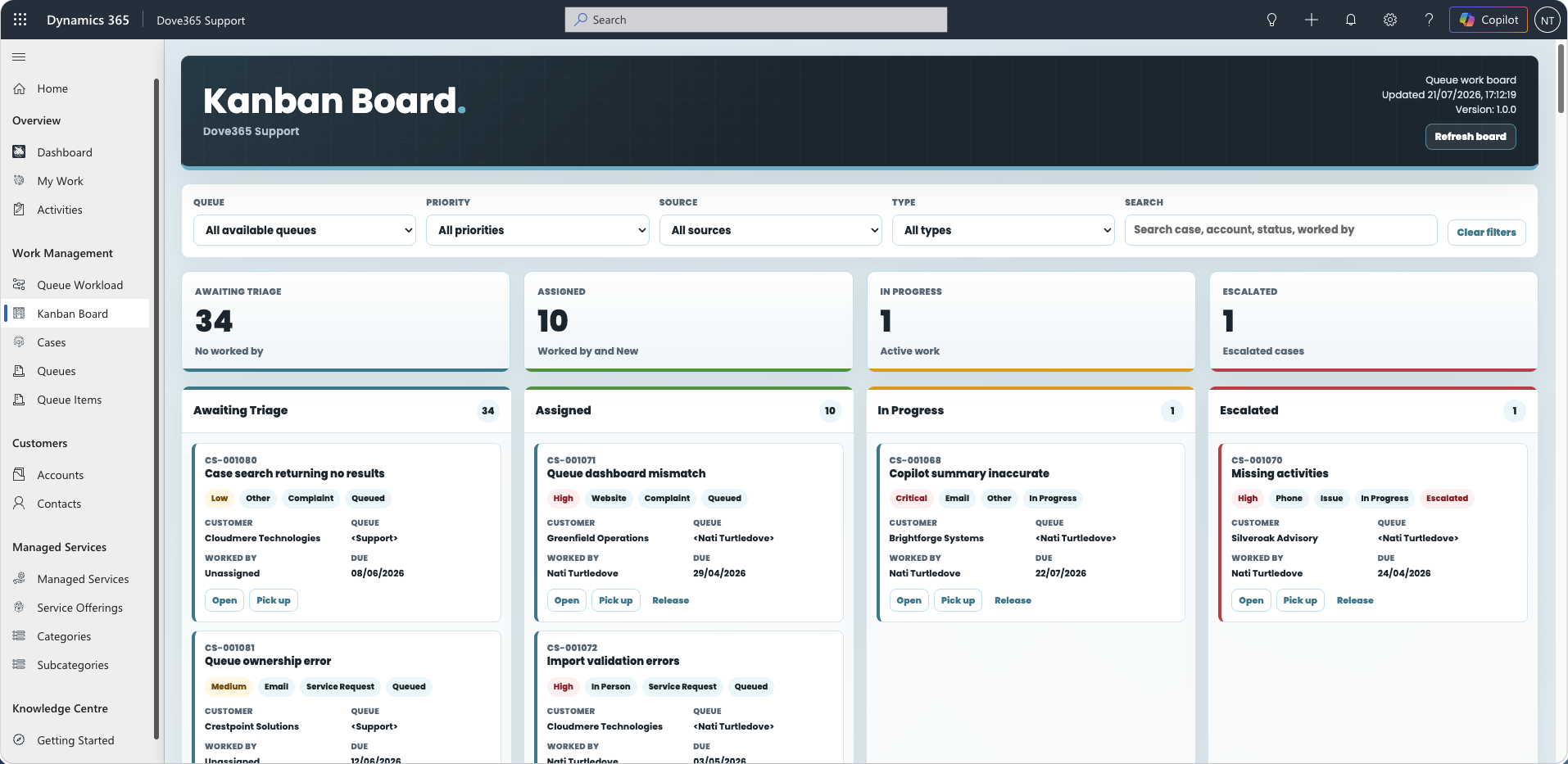
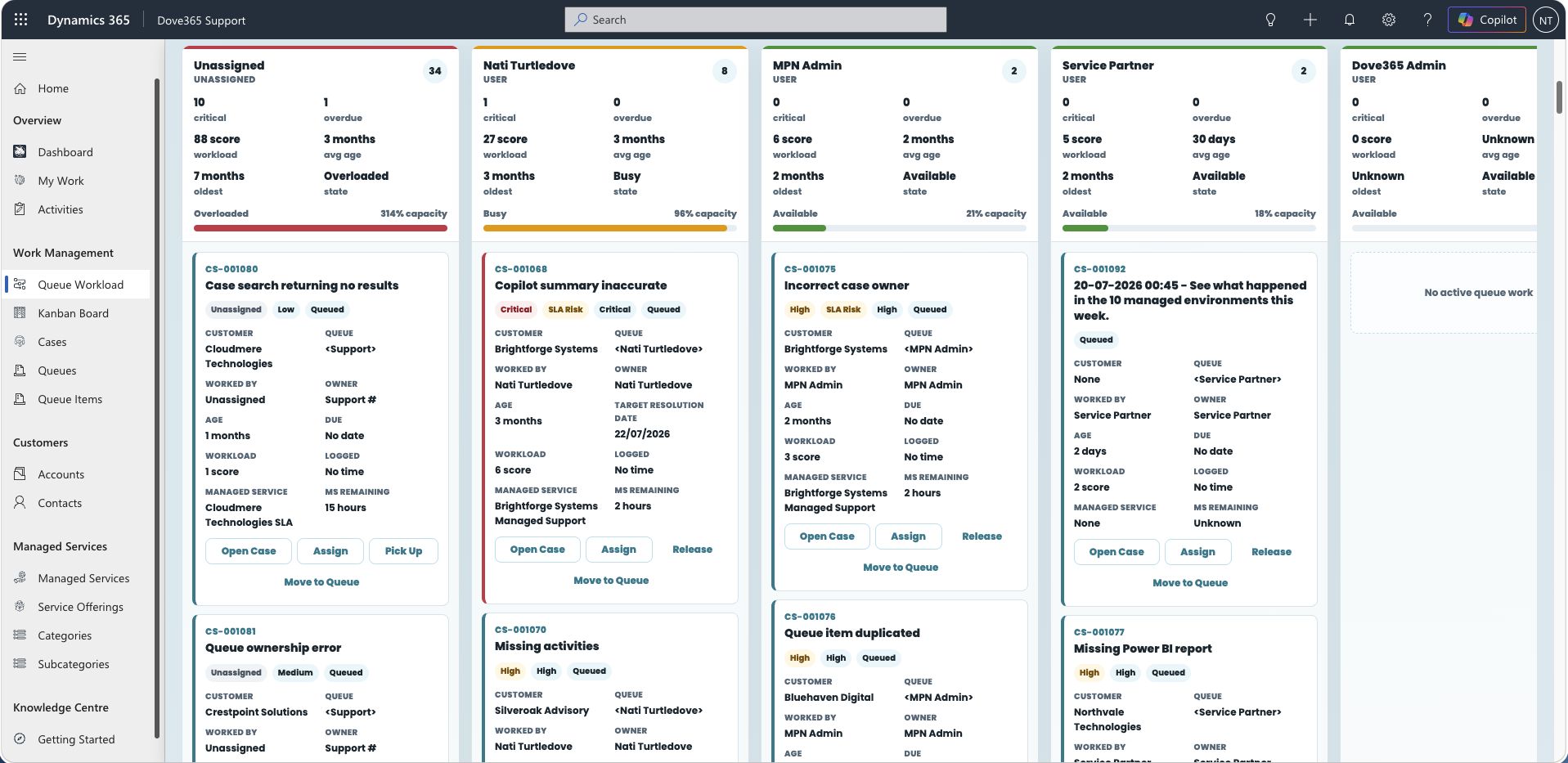
    Move queue items across a Kanban board, and see who is carrying how much on the workload board.

  • Time Tracker

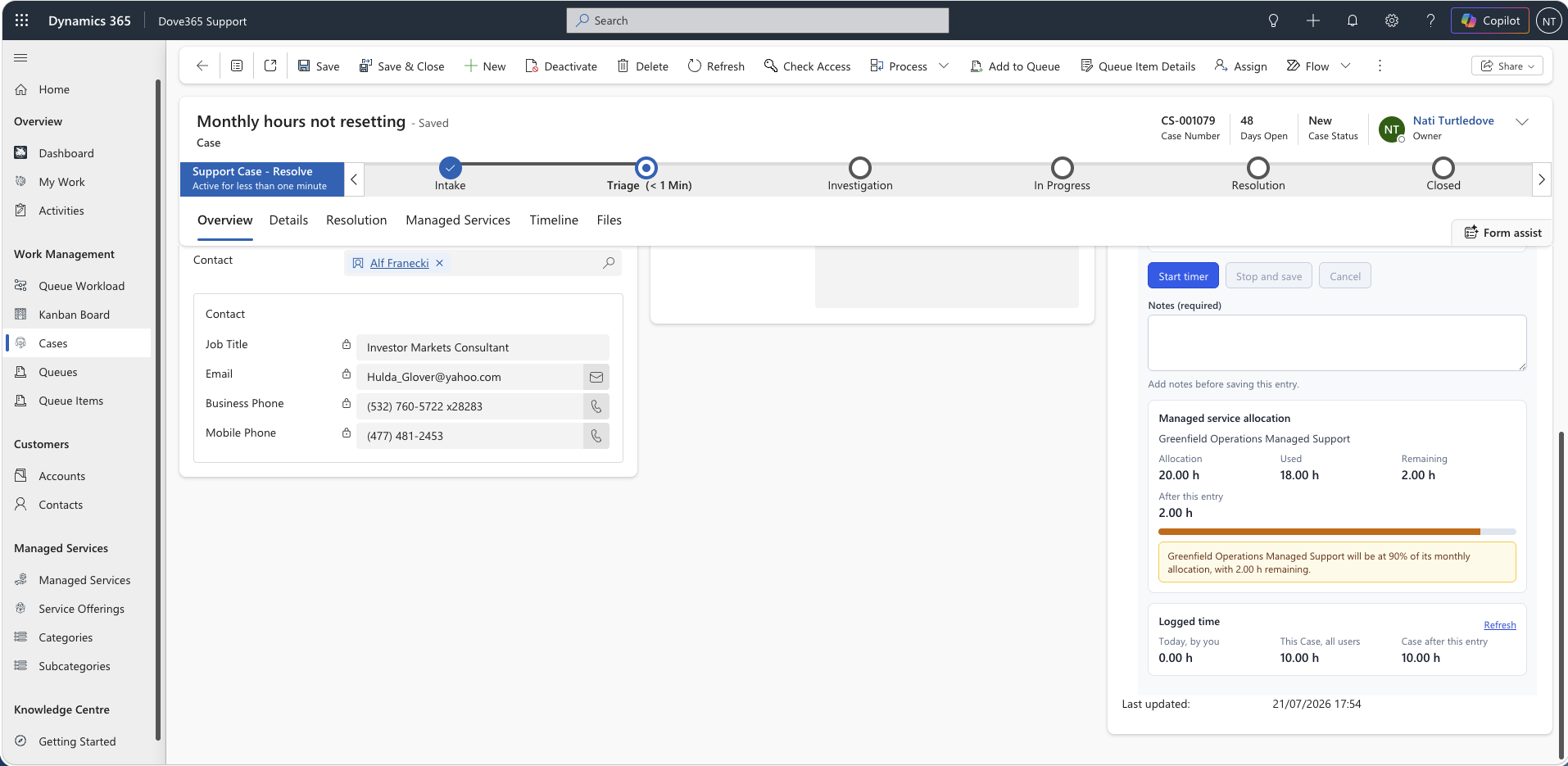
    Start, pause and stop a timer on the case. Time is rounded and rolled up to the case.

  • Managed Services

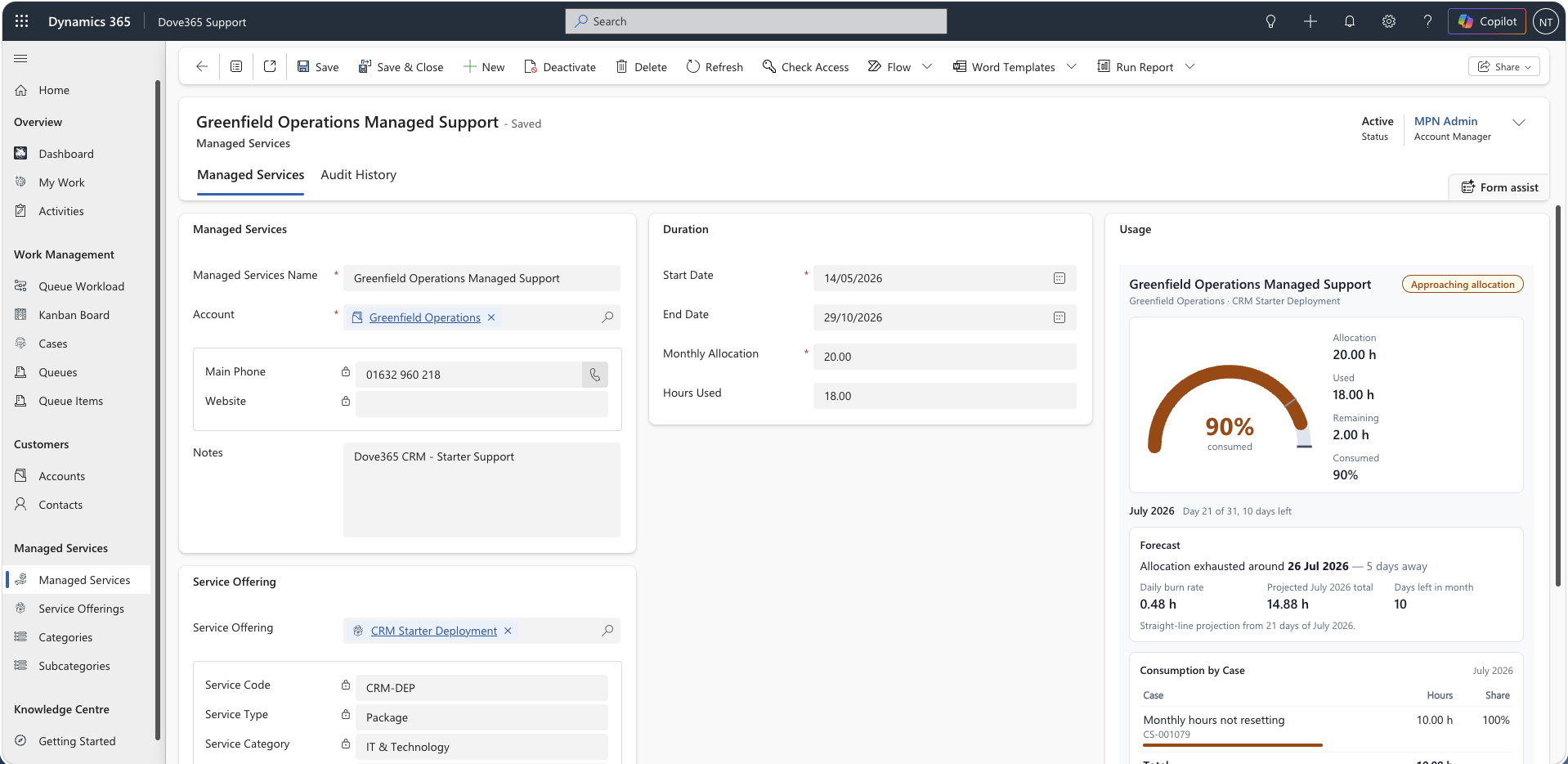
    Track contracted hours per customer, with usage alerts at 80 percent and allocation resets.

  • Categories

    Classify by category and subcategory so triage and reporting stay consistent.

  • Outlook & SharePoint

    Track emails against cases, and keep supporting files in SharePoint on the record.

  • Role-Based Security

    Support User, Account Manager and Admin roles for least-privilege access.

  • Dashboards

    My Work and a team dashboard show what needs attention, with no reports to build.

What is included

The core setup covers everything below. Anything outside it is scoped and quoted separately.

Core modules

  • Customers & Contacts
  • Cases
  • Queues & Queue Items
  • Managed Services
  • Support Activities & time tracker
  • Categories & Subcategories

Platform

  • Dataverse data model
  • Outlook email tracking
  • SharePoint documents
  • Security roles
  • Alerts and automation
  • Dashboards & work boards

Not included (quoted separately)

  • Complex third-party integrations
  • Large-scale historic data migration
  • Bespoke portals or external user access
  • Advanced SLA automation and custom plugins

See what needs attention

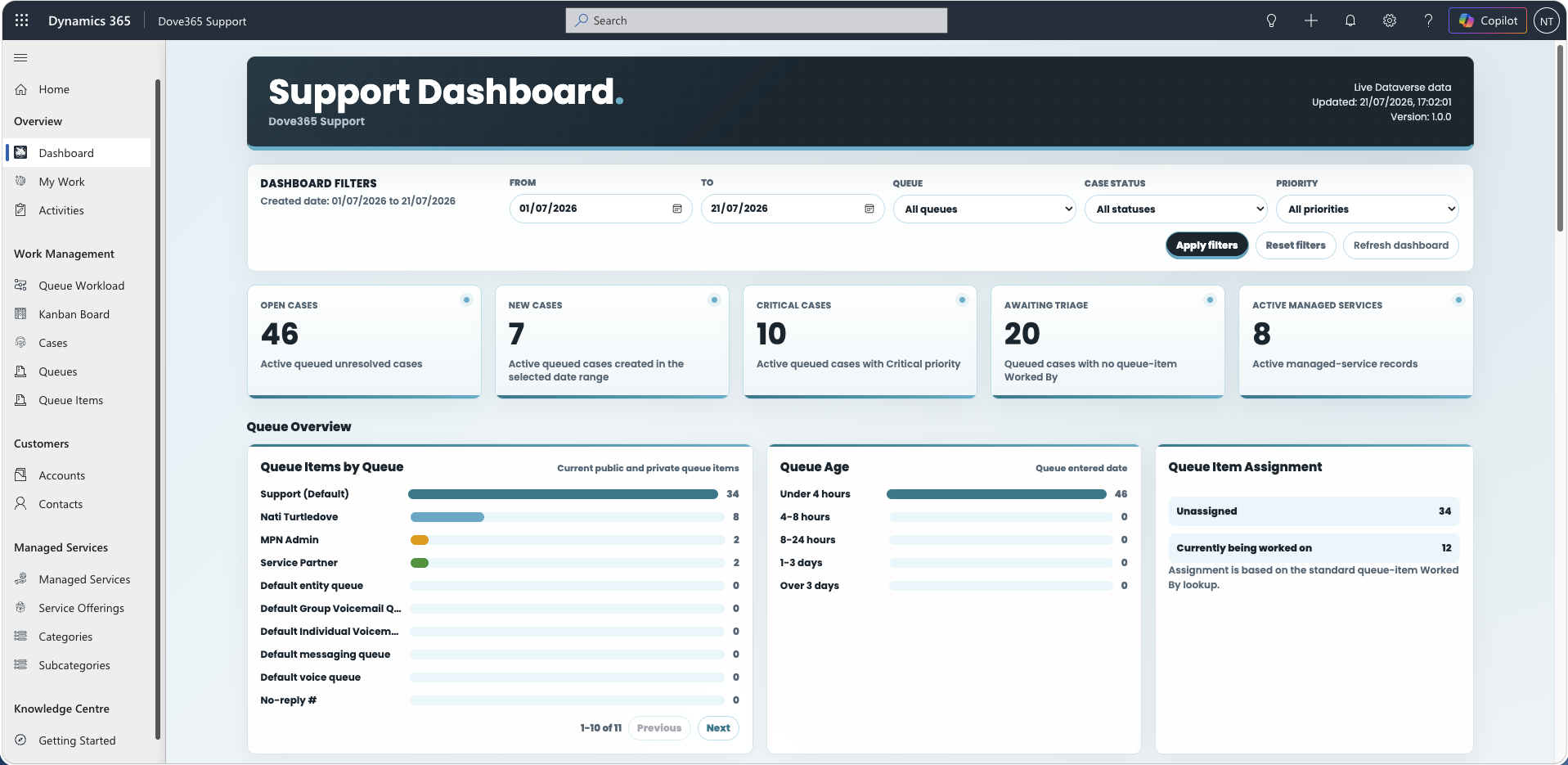
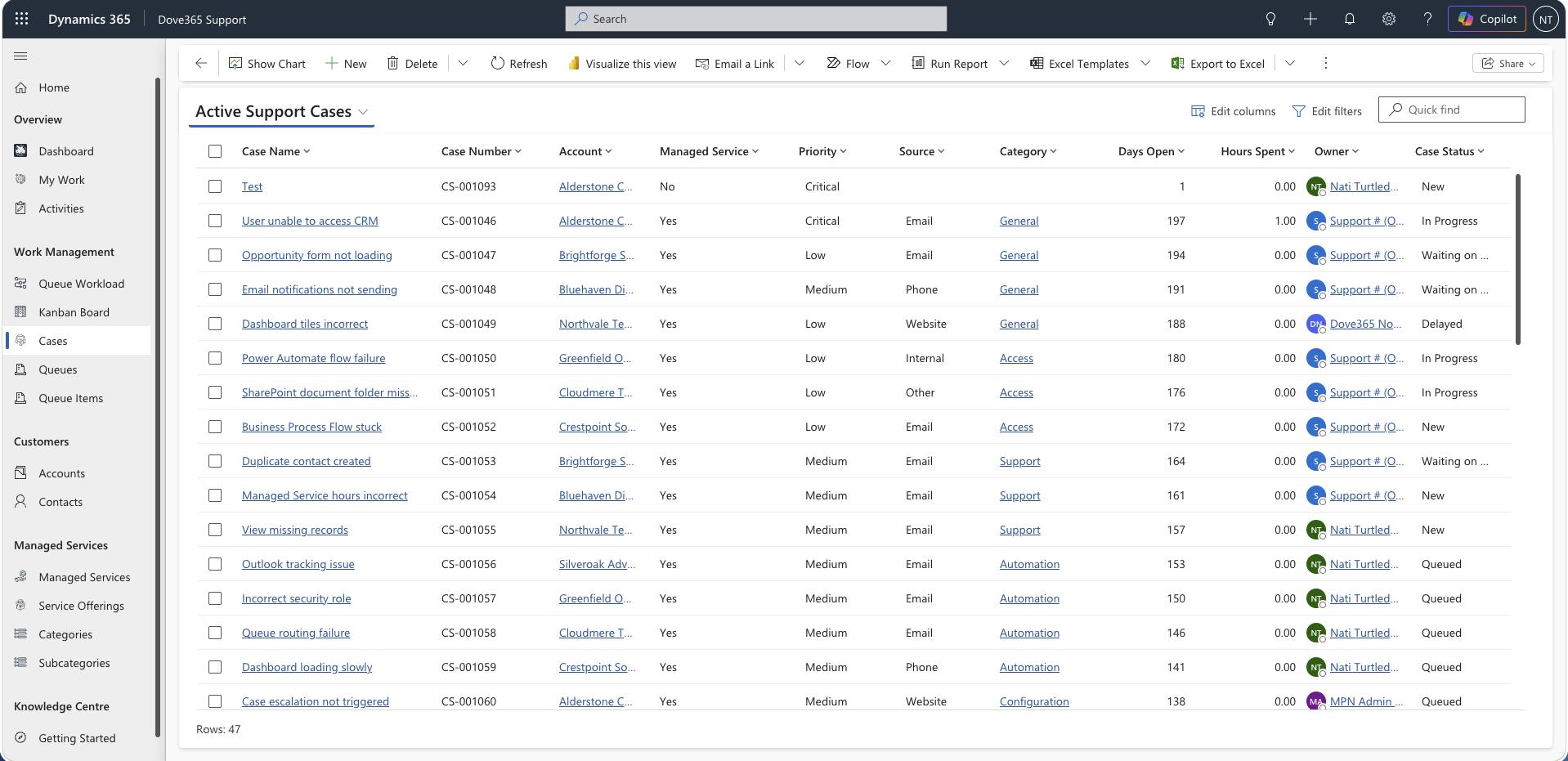
My Work shows each person their cases, queue items and overdue tasks. The team dashboard, Kanban and workload boards, and managed service views show the wider load.

Dove365 Support My Work dashboard with open cases, critical cases, queue items and overdue tasks

Select a screen to enlarge it.

See how the pieces fit together

A short walkthrough of Dove365 Support in day-to-day use. It covers:

  • Customers, contacts and case history
  • Queues, ownership and the work boards
  • Activities, time and managed service hours
  • The dashboards your managers use
Watch on YouTube →

Priced per user, per month.

Setup and configuration are confirmed in discovery, based on your environment, team structure and service process.

Want Dove365 to run and improve your support platform after launch? See Managed Services.

Dove365 Support · Case management

$10per user / month · set up in 5–7 working days

Configured with your categories, queues, dashboards, roles and documentation.

  • Customer and contact records
  • Case tracking and ownership
  • Queues, work boards and dashboards
  • Time tracker and managed service hours
  • Outlook and SharePoint support
  • Role-based security
  • User and admin documentation
Licence note: Dove365 Support runs on Microsoft Power Platform and Dataverse, so users need the appropriate Microsoft licence in addition to the Dove365 Support price. We confirm the most suitable licensing route with you during discovery.

From process review to live service desk

We configure the product around how your team handles support, then launch it with the right roles, views and working rhythm.

  1. Discovery

    Confirm support processes, service categories, queues, team roles, reporting needs and environment readiness.

  2. Configuration

    Dove365 Support is configured with your case fields, views, queues, categories, roles and dashboard priorities.

  3. Validation

    Run real support scenarios and confirm case capture, assignment, updates, documents and reporting behave as expected.

  4. Launch

    Users are provisioned, access is checked, and your team starts working from the configured product.

  5. Handover

    A walkthrough for your team, documentation, and options for ongoing support or improvement.

Common questions answered

What it is, what it costs, and how setup works.

Ask us something else

The product

What is Dove365 Support?

A case management product built on Microsoft Power Platform and Dataverse. It manages customers, contacts, cases, queues, activities, documents and support reporting in one Microsoft system, inside your own environment.

Is this the same as Dove365 Managed Services?

No. Dove365 Support is software your team uses to run its own support work. Managed Services is Dove365 supporting, improving and maintaining your Microsoft solutions. They work well together, and you can buy either without the other.

Can it work with Outlook and SharePoint?

Yes. Relevant emails can be tracked against customer and case records, and supporting documents sit in SharePoint while staying reachable from the record.

Price and licences

Do users need Microsoft licences?

Yes. Dove365 Support runs on Microsoft Power Platform and Dataverse, so users need the appropriate Microsoft licence in addition to the Dove365 Support price. We confirm the right licensing route with you during discovery, before you commit.

How is it priced?

Per user, per month, through Microsoft Marketplace. Setup and configuration are confirmed in discovery, based on your environment, team structure and service process.

Setup and changes

How long does setup take?

Typically 5 to 7 working days, covering discovery, configuration, validation, launch and handover. We confirm the timeline once your environment is ready.

Can we customise the support process?

Yes. During setup we configure categories, fields, views, queues, dashboards and access roles around how your team works. Larger extensions, complex integrations, external portals and advanced SLA automation are scoped and quoted separately.

Is training included?

Yes. Setup includes a handover so your team knows how to create, update, assign and close cases, and user and admin documentation is available on the documentation site.

Ready to organise support work?

Get Dove365 Support from Microsoft Marketplace, or ask for a demo and we will show it running against a support process like yours.