Products / Dove365 CRM — Starter

Dove365 CRM — Starter, live in 5 to 7 working days.

A fully configured CRM built on Microsoft Power Platform and Dataverse, deployed inside your existing Microsoft 365 environment. One fixed price, and unlimited users.

  • £2,000one-off
  • 5–7 daysto go live
  • Unlimitedusers
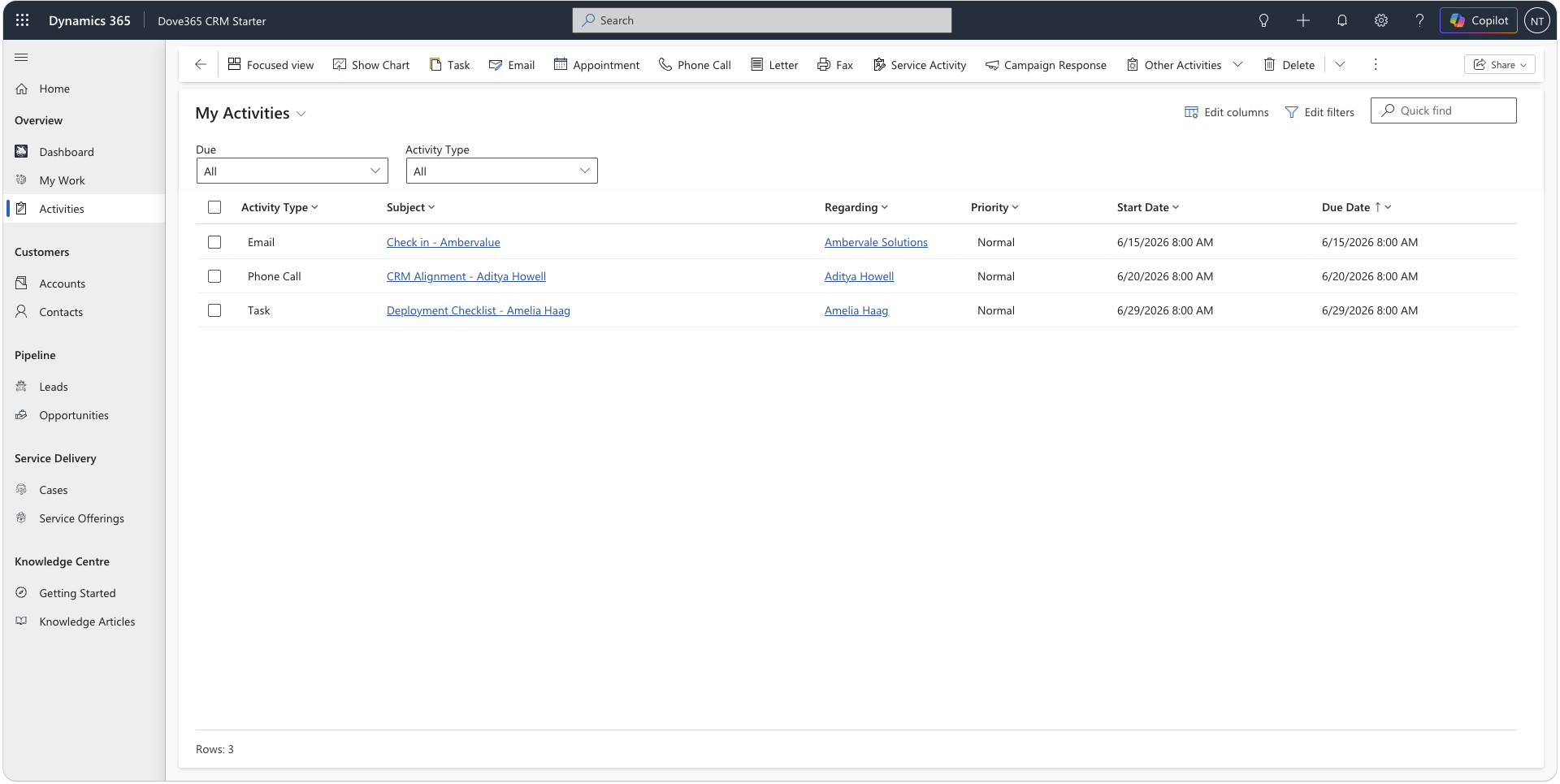
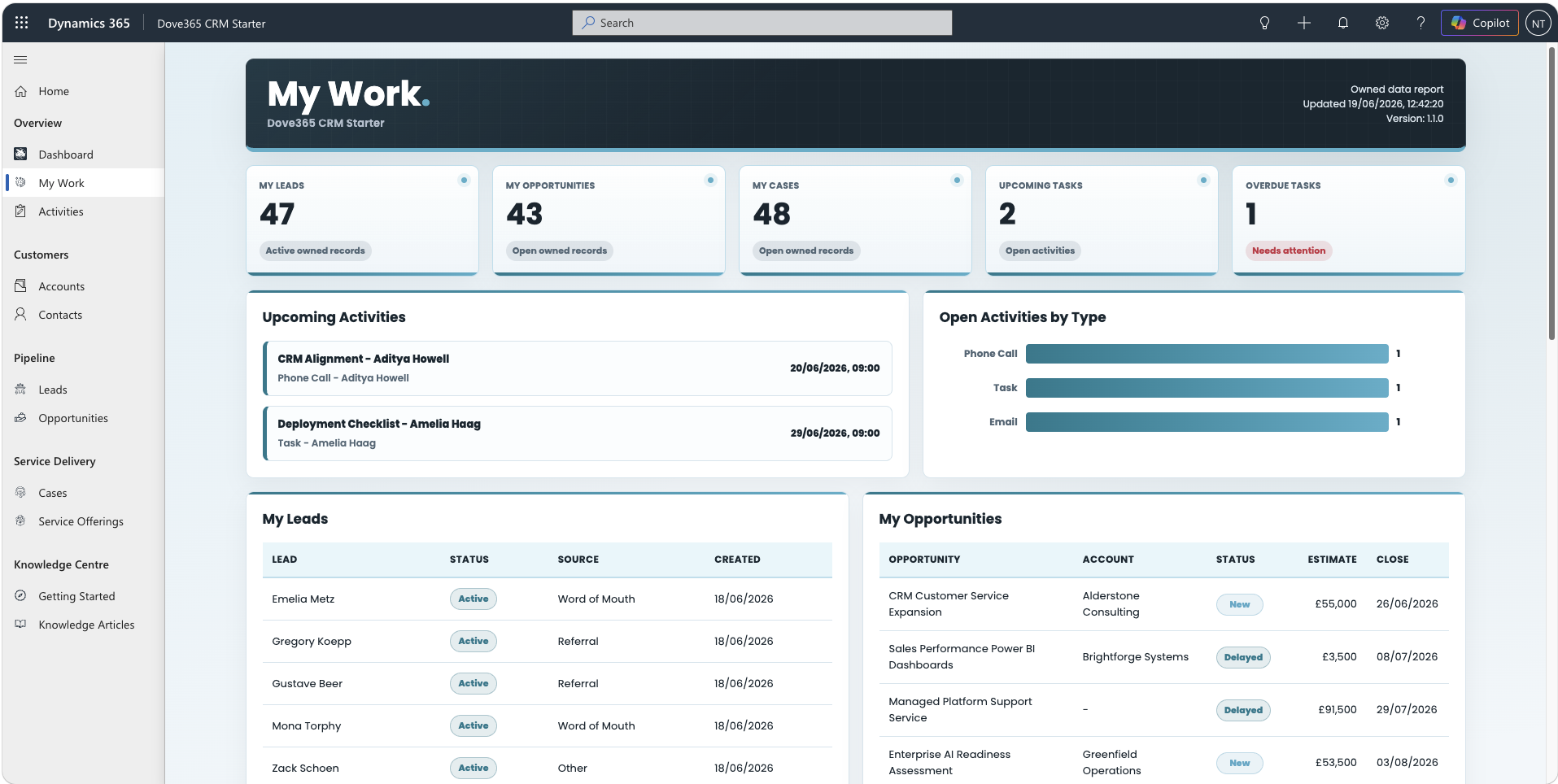
Dove365 CRM Starter My Work Dashboard showing personal KPIs and work lists

One system for your customers

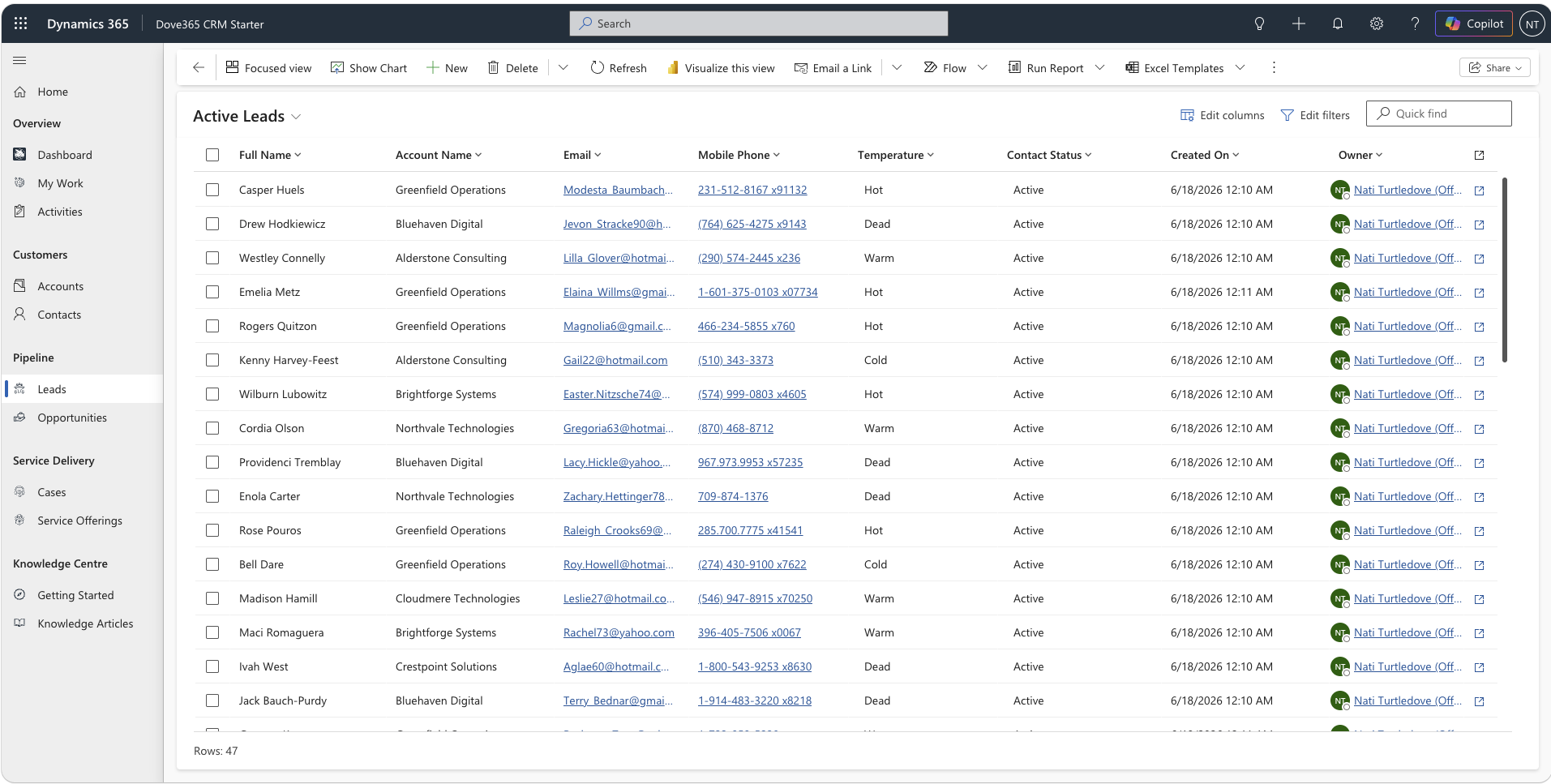
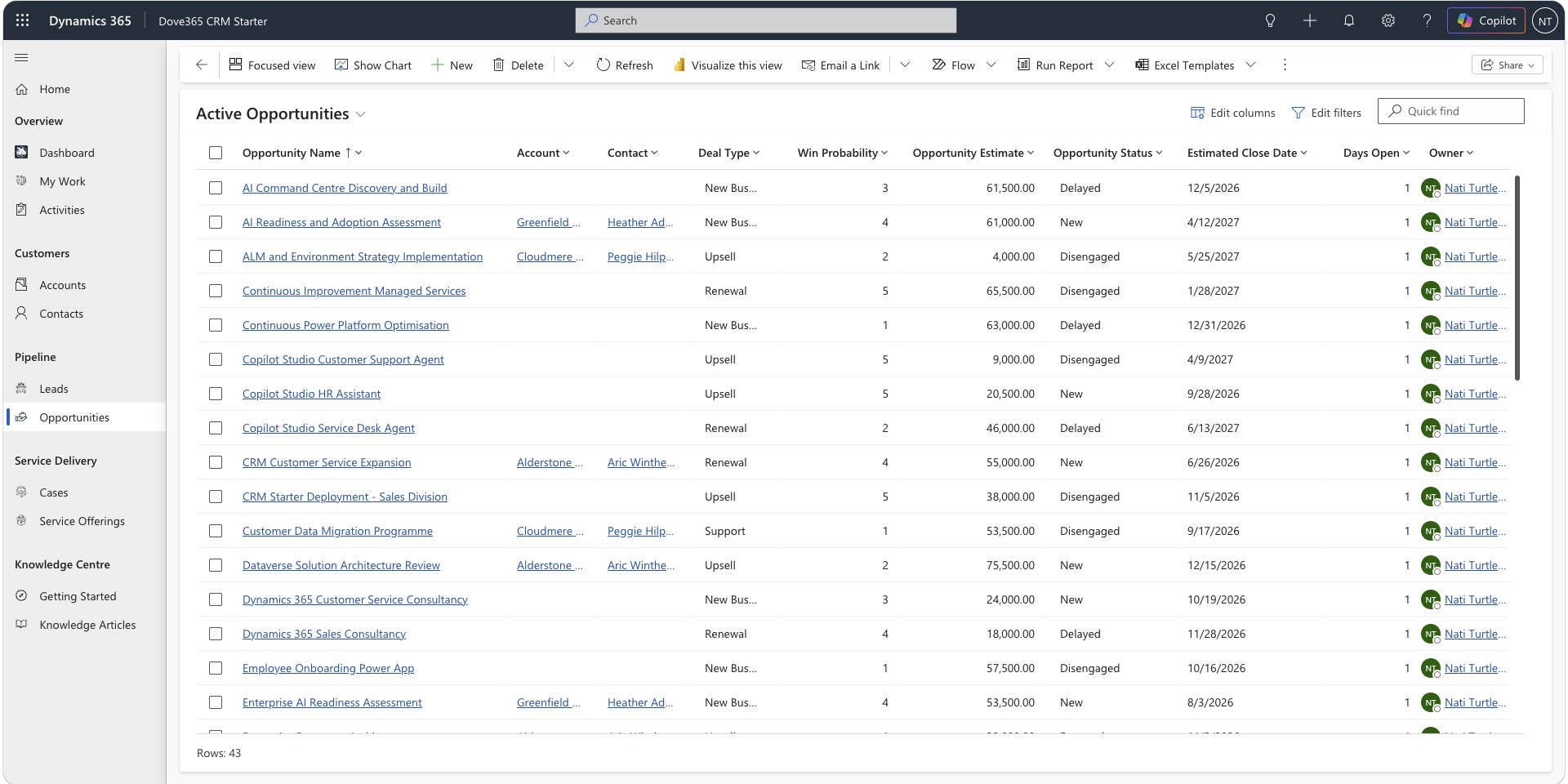
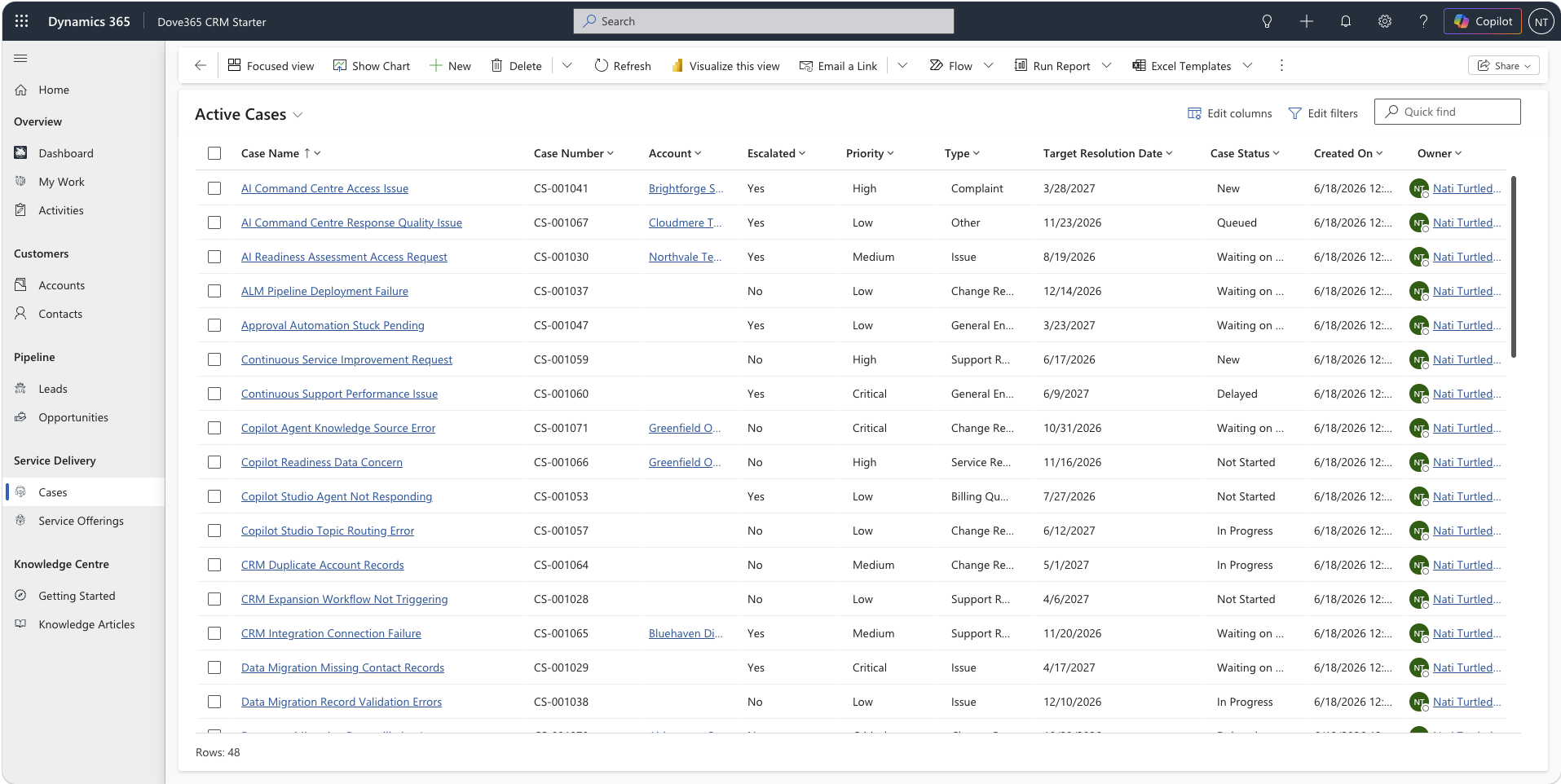
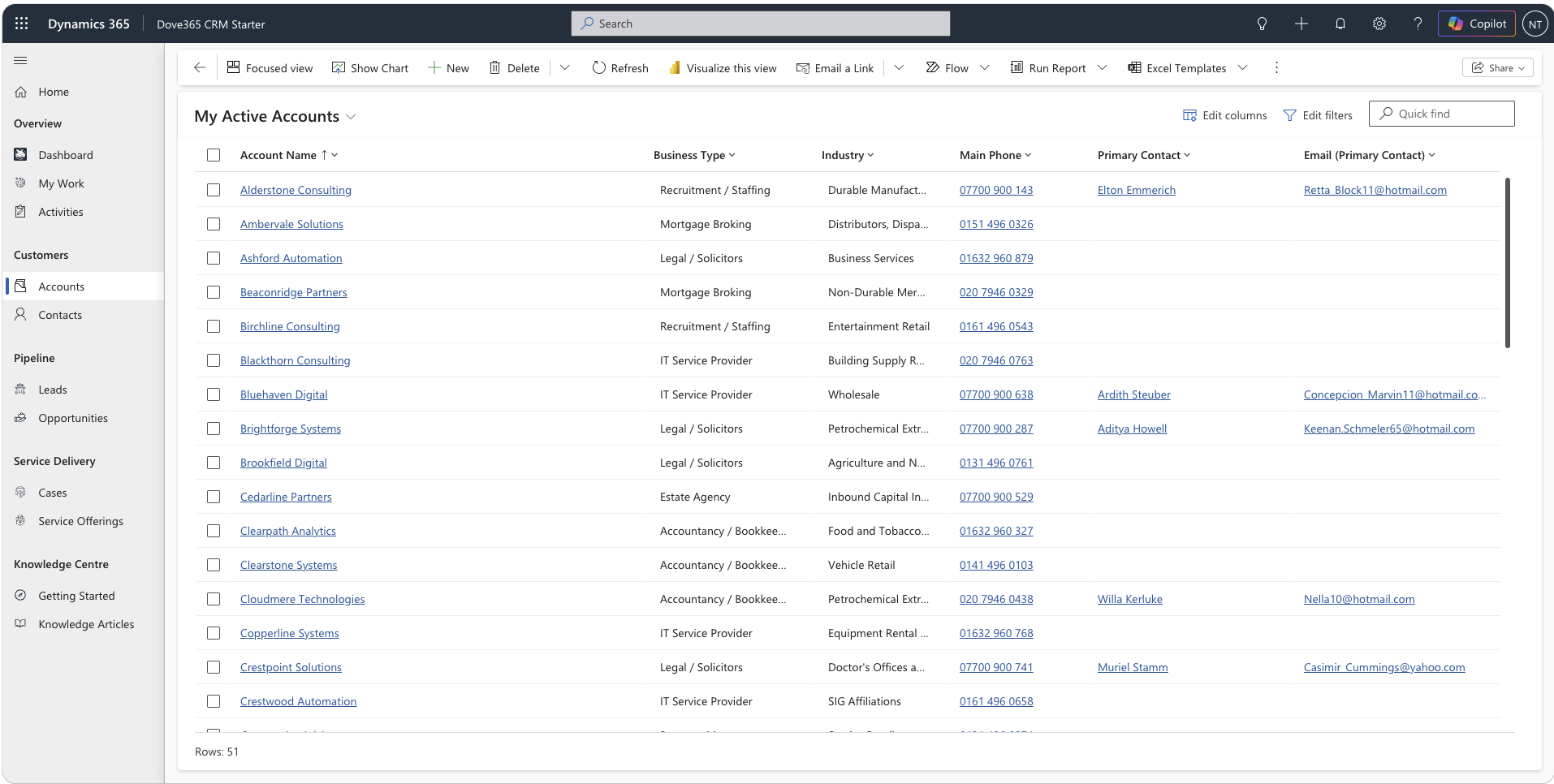
Dove365 CRM — Starter is a productised CRM that runs inside Microsoft Power Platform. It manages accounts, contacts, leads, opportunities, cases and activities, structured around how your business works, not a generic template.

What it is
A fully configured, ready-to-deploy CRM built on Microsoft Dataverse, Microsoft's data platform. It is a structured system inside your Microsoft 365 environment, not a disconnected spreadsheet.
Who it is for
Small and medium businesses that want a structured, scalable CRM without the complexity of Dynamics 365 or Salesforce, especially teams already using Microsoft 365.
Key benefits
A single structured system for all customer data. Built-in Outlook and SharePoint integration. Role-based security. Unlimited users. A one-off price, deployed and configured by Dove365.
Common uses
Managing a sales pipeline. Tracking customer support cases. Coordinating client onboarding. Replacing disconnected spreadsheets and inboxes with one source of truth.

Built to cover your full customer lifecycle

From first contact through to ongoing support, out of the box.

  • Accounts & Contacts

    Every organisation and person, linked in one searchable record.

  • Lead Management

    Capture, qualify and convert prospects through a guided 5-stage flow.

  • Opportunity Management

    Track the pipeline from qualification to close, with value and forecast.

  • Case Management

    Take service requests from creation to resolution, consistently.

  • Activities & Timeline

    Emails, calls, tasks and meetings logged against every record.

  • Outlook Integration

    Track emails against CRM records straight from Outlook.

  • SharePoint Documents

    Documents held in SharePoint, surfaced on the record.

  • Business Process Flows

    Guided steps that keep your team on a repeatable process.

  • Role-Based Security

    CRM User and Admin roles control what each person can see and do.

  • Dashboards & Reporting

    Live views of pipeline, cases and team activity, with no extra tool.

What is included

The core deployment covers everything below. Anything outside it is scoped and quoted separately, so there are no surprises.

Core modules

  • Accounts & Contacts
  • Leads
  • Opportunities
  • Cases
  • Service Offerings
  • Activities & Timeline

Platform

  • Outlook email tracking
  • SharePoint documents
  • Server-side sync
  • Security roles
  • Business Process Flows
  • Built-in dashboards

Not included (quoted separately)

  • Complex third-party integrations
  • Large-scale data migration
  • Custom development / plugins
  • Ongoing support (add-on available)

Start each day with My Work

The personal dashboard brings together owned leads, opportunities, cases, upcoming work and overdue activities, alongside CRM-wide dashboards and expanded in-app guidance.

Dove365 CRM Starter My Work dashboard showing personal KPIs and work lists
The personal dashboard: owned leads, opportunities, cases, upcoming work and overdue activities in one place.

Select a screen to enlarge it.

One price. No surprises.

Dove365 CRM — Starter is a fixed, one-off engagement. You know exactly what you are paying before any work begins.

Support packages are available after deployment to cover ongoing changes, user management and system health. We agree the level of support with you once the CRM is live. See Support Packages.

Dove365 CRM — Starter · One-off deployment

£2,000One-off · 5–7 working day delivery

Full CRM deployment configured to your business: data model, forms, views, dashboards, security roles, Outlook & SharePoint integration, training and documentation.

  • Unlimited users
  • Full Dataverse CRM data model
  • Outlook & SharePoint integration
  • Security roles and user access
  • Business Process Flows
  • Dashboards and views configured
  • Handover session and documentation
Licence note: Dove365 CRM — Starter uses Microsoft Dataverse. Each user who accesses the CRM requires a Power Apps Premium licence, separate from this deployment fee. Dove365 will advise on the most cost-effective licensing approach for your team during the discovery call.

From first call to live system

Dove365 handles the full deployment. You focus on your business, and we handle the configuration, testing and handover.

  1. Discovery

    We understand your business process, team structure and requirements. Confirm licences and environment readiness.

  2. Configuration

    Dove365 CRM — Starter is configured to match your process: fields, views, service offerings, security roles and integrations.

  3. Testing

    Review and validate the configured system. Confirm data entry, workflows, integrations and user access all work.

  4. Deployment

    Dove365 CRM — Starter is deployed to your production environment. Users are provisioned and mailboxes configured.

  5. Handover

    A live training session with your team on go-live day. Full documentation provided. Ongoing support available.

Common questions answered

The questions people ask most, grouped: price, getting live, making it yours, and life after go-live.

Ask us something else

Price and licences

What is included in the £2,000?

The one-off fee covers the whole deployment: your data model, forms and views, dashboards, security roles, Outlook email integration, SharePoint document management, basic automation flows, and a handover and training session with your team. There are no hidden extras for the core deployment.

Do we need any extra Microsoft licences?

Yes. The CRM runs on Microsoft Dataverse, so each person who uses it needs a Power Apps Premium licence from Microsoft. That is separate from the £2,000. The CRM itself places no limit on users, and we will help you plan the most cost-effective licensing for your team size during the discovery call.

Do we need Dynamics 365?

No. It is built on Microsoft Power Platform and Dataverse, not Dynamics 365, so you do not need a Dynamics 365 licence. Power Apps Premium is the licence you need.

Getting live

How long does deployment take?

Typically 5 to 7 working days from agreement and confirmed environment readiness. That covers discovery, configuration, testing, deployment and the go-live handover. The exact timeline depends on how complex your configuration is and how quickly your environment prerequisites are in place, and we confirm it in the discovery call.

Does it work with Outlook?

Yes. Emails can be tracked against CRM records directly from Outlook, on desktop or web, and server-side synchronisation keeps activity history up to date automatically. The Dynamics 365 App for Outlook is also available if you want the full in-Outlook CRM panel to view customer records, create leads and link emails to opportunities or cases.

Does it work with SharePoint?

Yes. Files stored against accounts, contacts, opportunities and cases are held in SharePoint document libraries and linked to the record, so you can upload, open and collaborate on documents without leaving the CRM. You need a SharePoint site in your Microsoft 365 environment, which most organisations already have.

Making it yours

Can it be customised to our business?

Yes. It is a configurable product, not a locked-down template. During deployment we adapt fields, forms, views and business process flows to your terminology and process. Anything beyond that standard scope, such as new modules, advanced automation or extended data models, is a separate engagement, scoped and quoted to your needs.

Can it be extended with AI?

Yes. Because it is built on Dataverse, it can be extended with Microsoft Copilot Studio to add AI assistants and natural-language interaction against your CRM data. AI extensions are a separate engagement. If AI matters to you, mention it in the discovery call and we will explain what is realistic from this starting point.

After go-live

Is training included?

Yes. Every deployment includes a handover and training session with your team on go-live day, and training material is built into the CRM itself so new starters can get up to speed without waiting for a session. For ongoing training, the support packages include ad-hoc guidance and documentation updates.

What support is available afterwards?

Support is optional, and we agree the level with you once the CRM is live. It covers issue resolution, minor configuration changes, user management, mailbox configuration and system health monitoring. Many customers run the CRM independently after handover. See Support Packages →

Ready to bring order to your customers?

Buy the deployment on Microsoft Marketplace, or ask for a demo and we will show you the system running.